Technical Roadmaps in PPT

Upload a Paper and Generate a Technical Roadmap

Generate a technical roadmap from a paper or research plan, then verify every research step, method, and output.

Technical Roadmap
1
Research question
2
Research tasks
3
Technical methods
4
Validation and outputs
Verifiable research output

A clear, logical route

Turn research steps and technical methods into a structured roadmap.

No drawing experience needed

Upload your files without learning Visio or draw.io.

Fits the complete deck

Place the roadmap in the methods or planning section with consistent styling.

Editable PPTX

Export a standard PPTX and continue refining it.

What a Technical Roadmap Should Include

Generated output

Technical route / research framework

Turn methodological steps into a clear roadmap.

Generated output

Process and stages

Make the sequence of research stages immediately visible.

Generated output

Module relationships

Show the modules and how they connect.

Generated output

Supporting text

Add a concise explanation beside the roadmap.

Technical Roadmap Examples

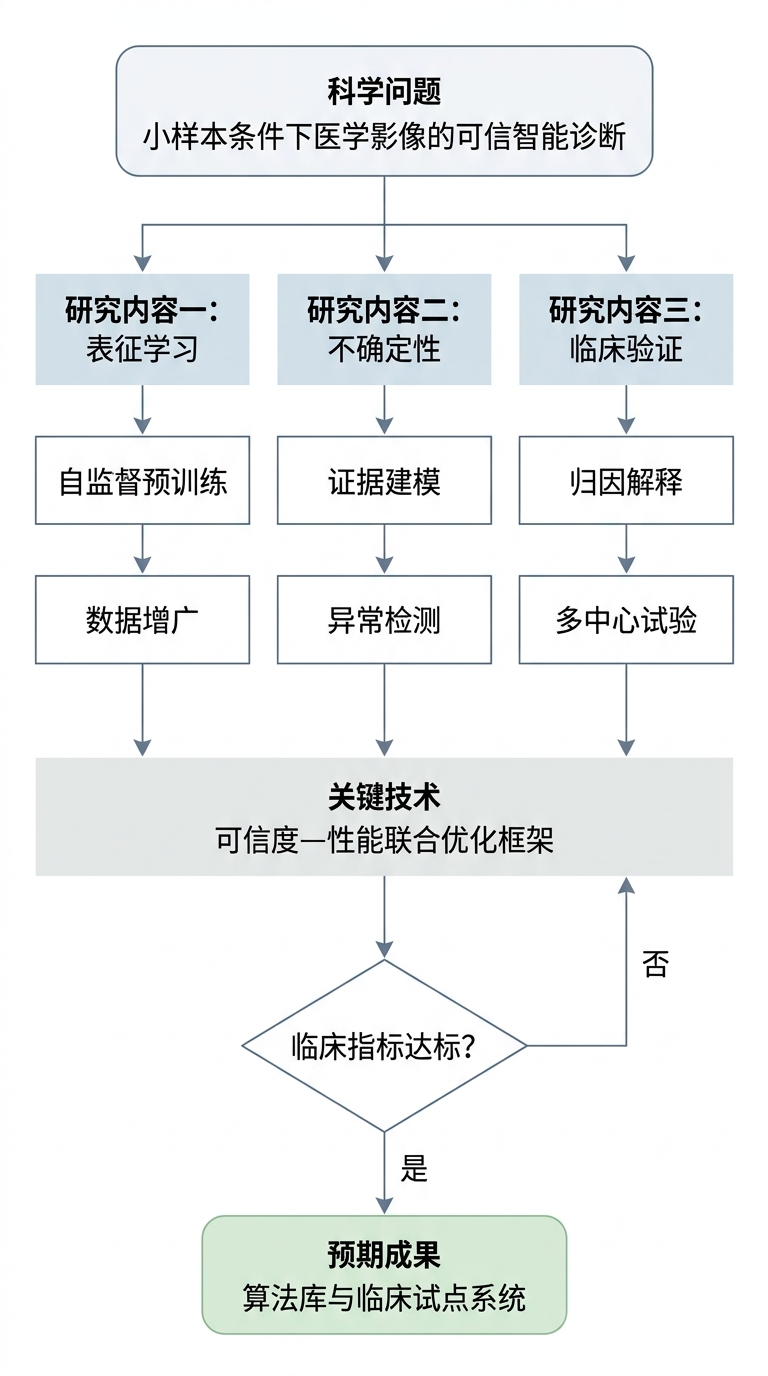
These fictional examples follow the visual structure used in NSFC proposals. Generated content follows your own paper or plan.
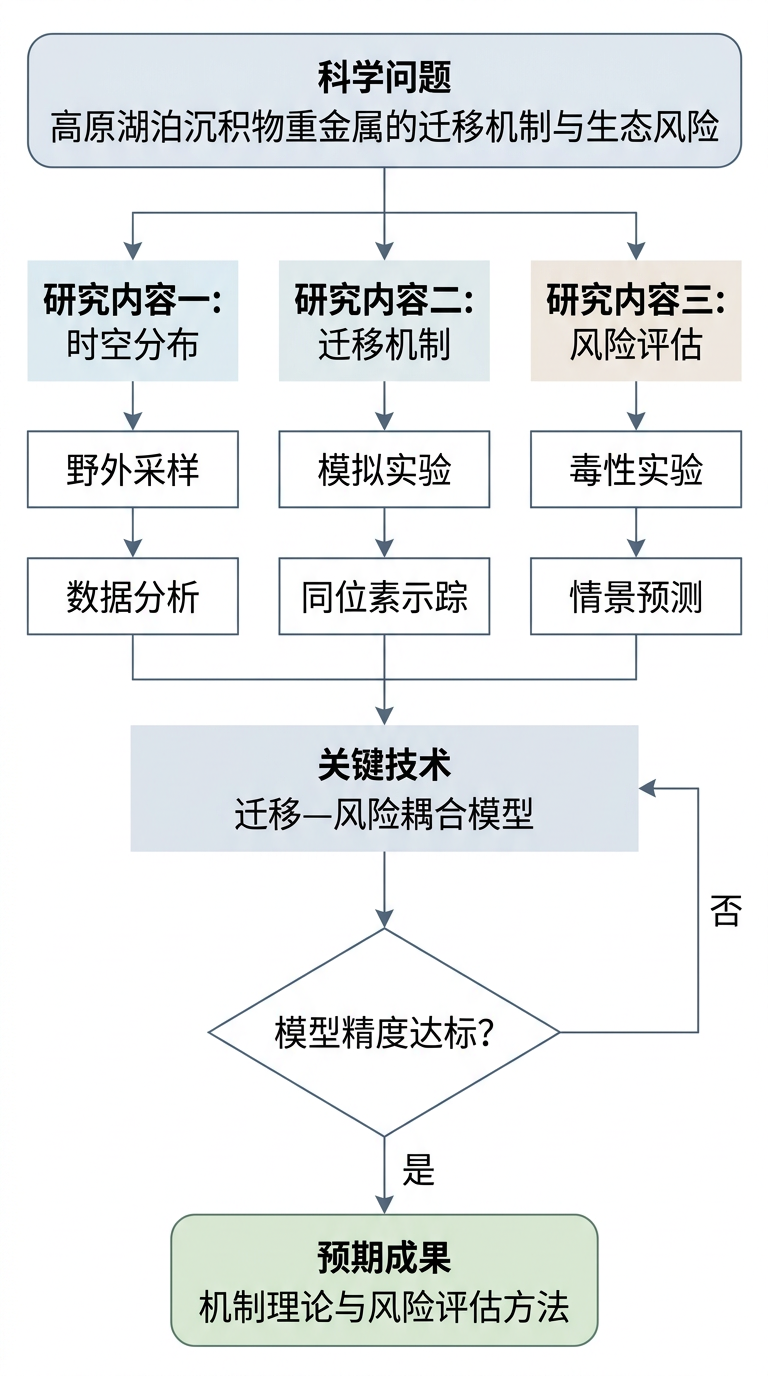
NSFC-style environmental science roadmap splitting a research question into three tasks and converging on key technology
Whole–parts–whole: question → three research tasks → key technology, with a validation feedback loop
NSFC-style technical roadmap for an AI medical-imaging project
The same structure applied to another field: AI medical imaging

Create an Editable Draft in Three Steps

1

Upload papers or a research plan

Drag in up to five PDF files.

2

Generate the technical roadmap

The image model turns the technical route into a clear roadmap slide.

3

Review and export

Verify steps, methods, and outputs, then export an editable PPTX.

How to Draw a Technical Roadmap Reviewers Can Read

A reviewer first looks for what each step delivers. Outputs matter more than arrows.

Common incorrect formHow to fix it
A flowchart with arrows but no stagesUse three levels: stage → task → output. Give each stage a column and label the deliverable at the bottom, such as a dataset, model, or thesis chapter.
A module tree listing parts without sequenceRun time from left to right, connect dependencies with arrows, and stack tasks that can run in parallel.
A route with no technologyState which method solves which problem at key nodes. The technology belongs in the nodes, not only in the title.

Frequently Asked Questions

How is a technical roadmap different from a flowchart?

A flowchart shows operational order. A technical roadmap also identifies the method used and the output produced at each step. Without methods and deliverables, it remains a flowchart.

Where should the roadmap appear in a proposal presentation?

Place it after research content and methods and before the schedule, usually on its own slide. In a defense deck, it can serve as the overview map for the methods section.

Can I generate one without drawing skills?

Yes. Upload a paper or research plan, then verify the generated research steps, methods, and outputs.

Which format is exported?

A standard editable PPTX file.

Skip Manual Roadmap Drawing

Upload a paper or research plan and generate a technical roadmap in an editable PPT draft.